







Text Bucket
Keep all those snippets of text you need to constantly type handy, yet out of the way.
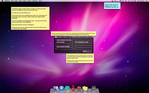
Text Bucket is a background application that stores those frequently used snippets of text that we all have hanging around. Email addresses, form mail responses, snippets of code, or Facebook statuses - they all go in here.
Instead of cluttering up your desktop or hunting around for things as you need them, Text Bucket keeps them all in one place.
Bring it to the foreground with a hotkey combination, choose the item you want to paste in (at most 2 keypresses will do it!) and it blinks away and inserts it for you. Your hands never need to leave the keyboard! Grab what you need fast, and it'll get out of your way so you can get back to work.
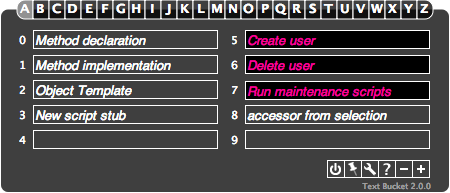
Plus, the snippets are customizable. Need to frequently post almost-the-same-thing? Store it in Text Bucket with macros to prompt you for the values you need this time around.
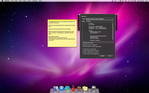
Want even more functionality? Slots can execute command line scripts, so you can process your output through Perl, Python, Applescript, or whatever else you choose. This lets you greatly customize the snippets you're inserting.
Invoke Text Bucket, hit the slot you need and type in a username, and the app will automatically call your scripts to create a new user on your server.
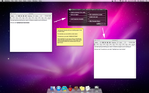
Or open a message in Mail, type in someone's name and highlight it, bring up Text Bucket and automatically populate your form mail message.
Or open up Numbers and paste in those formulas you always seem to use, customized to operate on exactly the write row you need.
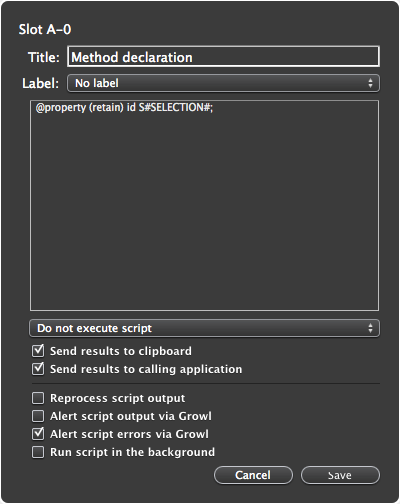
Or open up Xcode to do some development and automatically pre-populate the common stubs of code you always seem to use.
You're only limited by your imagination. Figure out where you're typing the same (or similar) things over and over and plunk those snippets into Text Bucket to get 'em out of your way, but always have them no more than a few keypresses away.
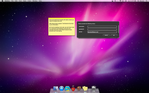
With the built in editor, you can easily type in your snippets directly (if you don't want them automatically pulled in from the clipboard), as well as set options about script execution, using growl, and where you want your output to go.
We don't know how you work - you know how you work. So you can customize what you need to see, and where you need to put it and let Text Bucket do it all for you directly. No more worrying about interim steps or temporary documents. No needing to remember to manually adjust a template. No obtrusive apps that are going to hang around and get in your way.
Just something simple and quick that appears when you need it, gives you what you want, and vanishes so you can get back to work.
Not sure where to begin? We've made a couple of macros ourselves - try looking at http://www.bassetsoftware.com/textbucket/macros.cgi and see if you find anything useful.
Got your own slick macro? Send it in to us! We'd love to share it with anyone else that could find it useful!